
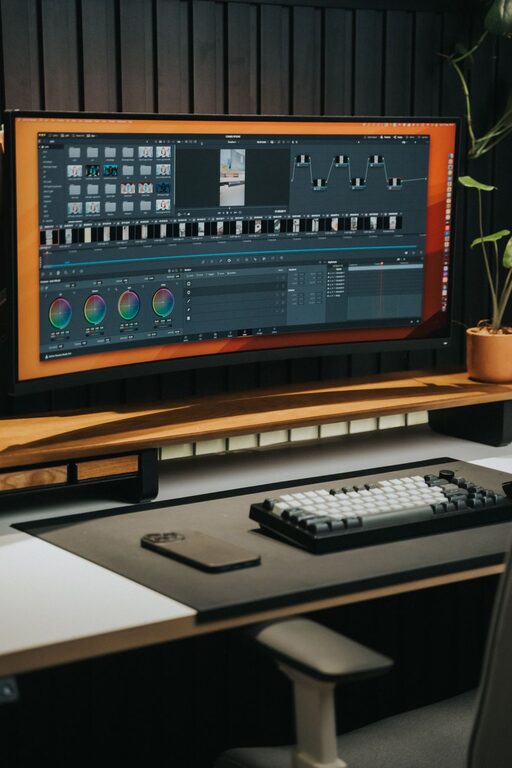
Creating a productive and inspiring home workspace is more important than ever as many people continue to work remotely or blend working from home with office days. A well-designed workspace helps you focus, reduces stress, and keeps you motivated. Whether you have a dedicated room or a small corner, these tips will help you transform your area into an efficient and uplifting environment.
Choose the Right Location
Finding the best spot for your workspace can make a significant difference. Ideally, select a quiet area with enough room to accommodate your desk, chair, and any other equipment you need.
– Natural Light: Position your desk near a window if possible. Natural daylight improves mood and reduces eye strain.
– Minimise Distractions: Avoid spaces with heavy foot traffic or noisy appliances.
– Separate Work and Leisure: Try to keep your workspace distinct from relaxation areas to help maintain work-life balance.
Invest in Comfortable Furniture
Comfort plays a crucial role in maintaining productivity, especially if you spend long hours working.
– Ergonomic Chair: Use a chair that supports your back, encourages good posture, and can be adjusted for height.
– Appropriate Desk Height: Your desk should allow your arms to rest comfortably at a 90-degree angle when typing.
– Additional Support: Consider a footrest or wrist supports if needed to reduce discomfort.
Declutter and Organise
A tidy workspace reduces stress and helps keep your mind clear.
– Limit Desk Items: Keep only essential items on your desk to avoid distractions.
– Storage Solutions: Use shelves, drawers, or organisers to store stationery, documents, and electronics neatly.
– Regular Clean-ups: Set a weekly routine to clear unnecessary clutter.
Incorporate Personal Touches
Personalising your workspace can make it feel welcoming and inspiring.
– Decor: Add artwork, photos, or plants that make you feel happy and motivated.
– Colours: Choose calming or energising colours depending on your taste. For example, blue promotes focus, while yellow can boost creativity.
– Lighting: Besides natural light, use desk lamps with adjustable brightness to reduce eye fatigue during darker hours.
Optimise Technology Setup
Ensure your technology supports your work efficiently.
– Reliable Internet: A strong and stable connection is essential.
– Adequate Hardware: Use equipment that suits your tasks—whether a powerful computer for design or multiple monitors for multitasking.
– Cable Management: Use clips or cable organisers to keep wires tidy and prevent tangles.
Create a Routine
Your workspace will be most productive if paired with a good work routine.
– Set Work Hours: Define when to start and finish work to maintain boundaries.
– Breaks: Regular short breaks help maintain focus and reduce fatigue.
– Task Lists: Use digital or paper planners to organise daily tasks clearly.
Promote Healthy Habits
Good habits complement a well-arranged workspace.
– Stay Hydrated: Keep a water bottle nearby.
– Move Regularly: Stand up, stretch, or walk to avoid prolonged sitting.
– Mindfulness: Practice brief breathing exercises or meditation to reduce stress.
Evaluate and Adapt
Your needs may change over time, so it’s important to revisit your workspace setup periodically.
– Feedback: Notice what works well and what distracts or hinders your work.
– Experiment: Don’t hesitate to rearrange furniture, change lighting, or try different accessories for improvements.
– Upgrade: Replace old or uncomfortable equipment as needed.
—
By thoughtfully organising your home workspace considering light, comfort, organisation, and personal style, you can create a place that encourages productivity and feels inspiring. Small changes can have a big impact on how enjoyable and efficient your work-from-home experience is.
