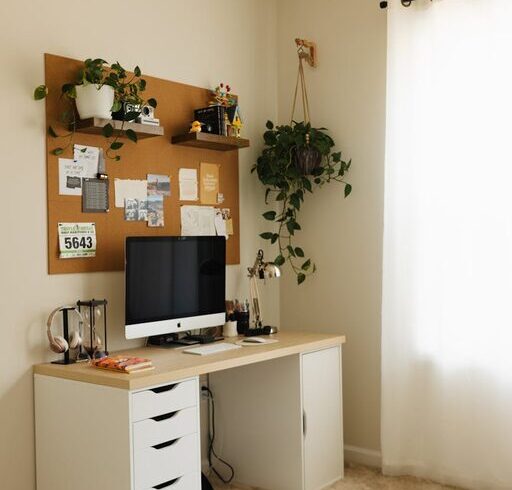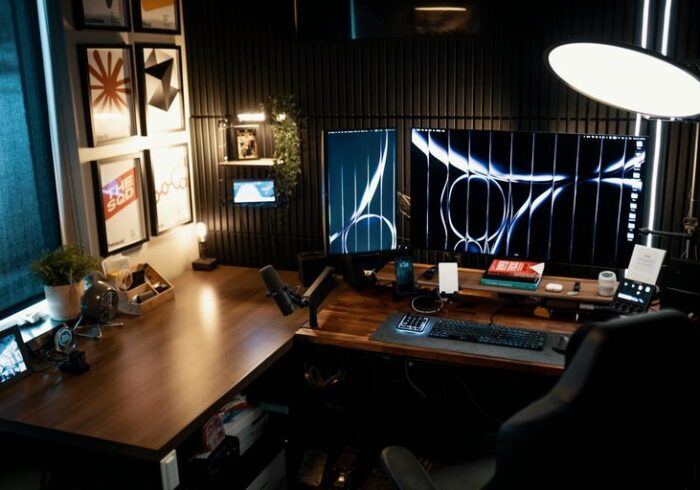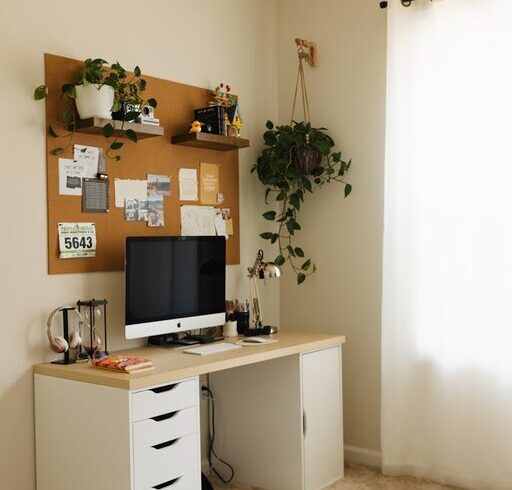

Working from home has become a common aspect of many people’s lives, bringing both convenience and new challenges. One of the biggest challenges is creating a home office space that supports productivity without causing stress or discomfort. A well-designed space can improve focus, reduce fatigue, and make work more enjoyable. Here are practical tips to help you create a relaxing and productive home office.
Choose the Right Location
Find a Quiet Spot
Select a part of your home where you can minimise distractions, especially noise. If possible, pick a room with a door so you can separate work from personal life.
Prioritise Natural Light
Natural daylight improves mood and alertness. Position your desk near a window to benefit from sunlight. Avoid direct glare on your computer screen by angling your desk or using blinds.
Invest in Comfortable Furniture
Ergonomic Chair
A comfortable, adjustable chair supports good posture and reduces the risk of back pain. Look for chairs with lumbar support and height adjustability.
Desk Height and Size
Choose a desk that suits your working style. It should have enough surface area for your computer, essential tools, and some personal items without feeling cluttered. Ideally, your desk height allows your arms to rest at a right angle while typing.
Consider a Standing Desk
If you prefer to alternate between sitting and standing, invest in a convertible standing desk. This promotes better circulation and reduces stiffness.
Organise Efficiently
Declutter Regularly
Keep only the essentials on your desk. Use trays, organisers, or drawers to store stationery and documents neatly.
Cable Management
Use clips or sleeves to keep electrical cables organised and out of sight. A tidy desk surface reduces distractions.
Storage Solutions
Shelves, filing cabinets, or storage boxes help keep paperwork and supplies organised and accessible.
Introduce Calming Elements
Colour and Decor
Choose soothing colours for walls and decor, such as soft blues, greens, or neutrals. Avoid overly bright or distracting patterns.
Personal Touches
Add plants, artwork, or photos that inspire and comfort you. Plants improve air quality and create a relaxing atmosphere.
Aromatherapy and Sound
Consider subtle scents like lavender essential oil or a small diffuser to create calm. Background sounds, such as white noise or soft music, can help concentration.
Optimise Lighting
Layer Lighting
Combine ambient lighting with task lighting. Use a desk lamp with adjustable brightness to reduce eye strain.
Avoid Harsh Lighting
Glare and flickering lights can cause headaches and fatigue. Opt for soft, warm light bulbs and position lights carefully.
Maintain a Comfortable Environment
Temperature Control
Keep the room at a comfortable temperature, not too hot or cold, to maintain concentration.
Ventilation
Fresh air helps keep you alert. Open a window when possible or use an air purifier.
Set Boundaries and Routine
Define Work Hours
Even at home, it is beneficial to set clear work hours. This helps maintain work-life balance.
Take Breaks
Schedule regular breaks to rest your eyes and move around. Short pauses increase productivity and reduce stress.
Digital Organisation
Keep digital files organised to complement your physical workspace. Use folders and clear naming conventions.
Use Technology Effectively
Reliable Equipment
Invest in a good quality computer, monitor, keyboard, and mouse. Reliable equipment reduces frustration.
Software Tools
Use productivity and communication apps that suit your workflow. Cloud storage and collaboration tools can enhance efficiency.
—
Creating a relaxing and productive home office doesn’t require a complete overhaul of your space. Small, thoughtful changes can make a big difference to your workday experience. By focusing on comfort, organisation, and calming elements, you can design an environment that supports your best work and wellbeing.